
Traing
Turning Your Existing Service Manuals Into Interactive Training Content
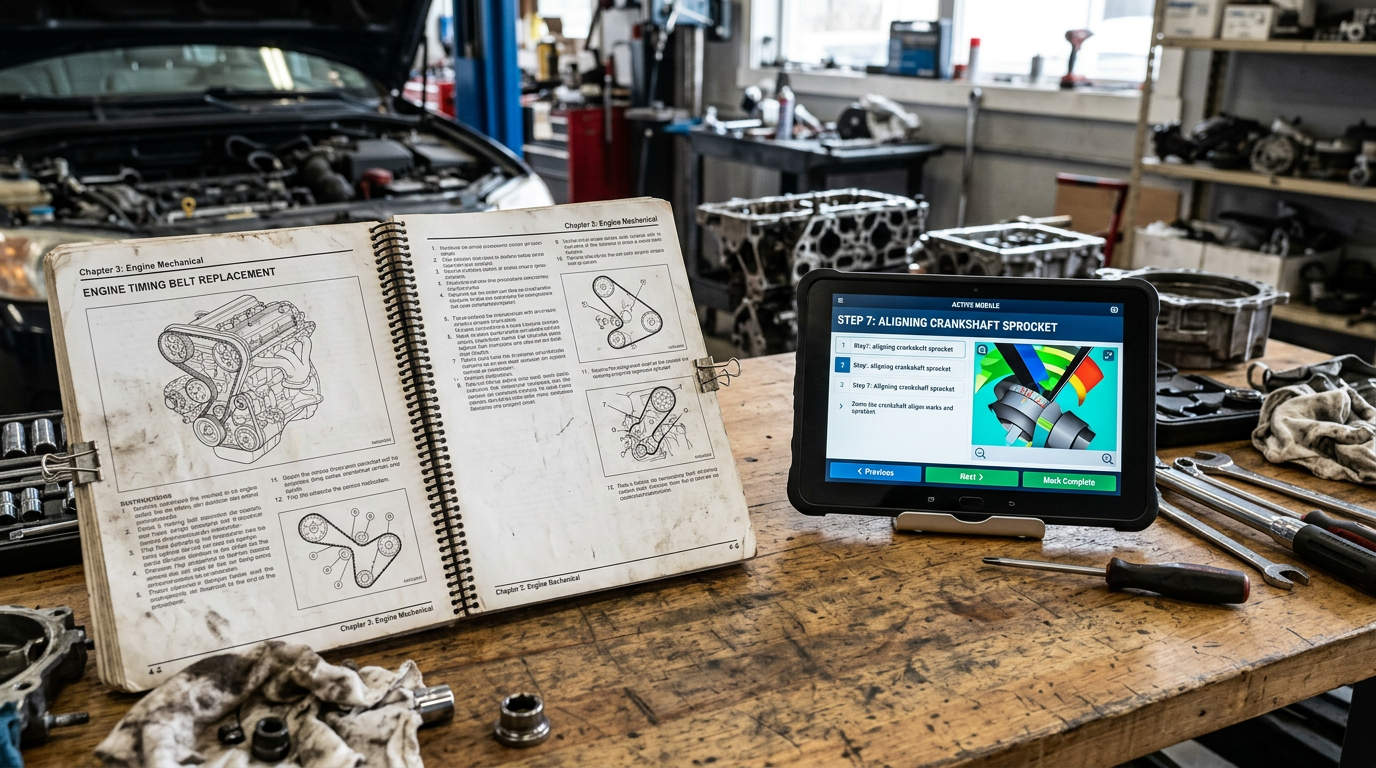
The service manual you already publish contains most of what a technician training program needs: procedures, specifications, torque values, fault trees, wiring, and parts. Turning it into interactive training means restructuring the content by task, upgrading the illustrations, adding the media a manual cannot hold, and wrapping it in assessment.
It is not starting over. A new service manual is a three-to-nine-month writing project; a training program built from an existing one is faster, cheaper, and, because it draws on engineering-approved content, more accurate than a program written from scratch.
Our services are for the training manager or tech pub lead sitting on a shelf of manuals and a backlog of onboarding. It covers why the manual is the right starting point, what it is missing as training, the step-by-step conversion, what comes out the other end, and exactly what to send us to get a scope.
Why the manual is the right starting point
Three reasons, in order of importance.
It is already correct. The manual has been through engineering review, validation, and, in most cases, years of field use. Every procedure in it has been argued over by people who know the product. Training written fresh by a training vendor starts that argument again.
It is the thing the technician will use on the job. Training built from the manual teaches the technician to use the manual, which is the habit that matters after the course ends. Training built from something else teaches a parallel version of the product that drifts from the reference the moment engineering changes a part.
It is tied to the money. Service manuals are the basis for labor-time guides, flat-rate codes, and warranty claims. Training that mirrors the manual’s procedures reinforces the times and sequences the warranty system expects. Training that does not creates comebacks and disputes.
What a manual is missing as training
A manual is written for reference. Training is designed for learning.
- No sequence for a learner. A manual is organized by system so a technician can find a procedure. A learner needs a path: what to understand first, what to practice second, what to be tested on third.
- No “why.” The manual says torque to 45 Nm in a cross pattern. It doesn’t explain what happens when you don’t, which is what makes a new technician do it.
- No motion. A valvetrain, a hydraulic circuit, an aftertreatment cycle: the manual has a static figure; the learner needs to see it move.
- No practice and no proof. A manual cannot ask a question, check a step, or record that the technician completed it.
- Illustrations built for print. Line art at page size with numbered callouts is ideal for a bound manual and limiting on a tablet, where a learner expects to tap,
zoom, rotate, and isolate. - The format. A PDF, a scanned PDF, or a binder isn’t something an LMS can track or a tablet can adapt.
Everything in the conversion addresses one of those six gaps.
The conversion, step by step
1. Audit what you have
Before anything is built, we inventory the source: manuals and their native formats (InDesign, FrameMaker, Word, XML, or S1000D data modules, or PDF only), illustration source files (vector line art, raster images, photographs), wiring diagrams, parts catalogs, fault-code lists, the engineering change history, CAD, any existing training, video, and translations.
The output is a list of what can be reused as-is, what needs conversion, and what is missing. This step decides the scope, and it is where the biggest savings live. Native files with vector illustrations convert quickly. A PDF of scanned pages with photographs for figures is a different project, and it is better to know that in week one.
2. Convert the curriculum, not the manual
Nobody needs the whole manual as training. The jobs that matter are a short list: the top warranty repairs, the top comebacks, the procedures every new hire has to be signed off on, and whatever is new about the current product. Warranty data and service-desk tickets tell you which ones. A program built around twenty procedures that account for most of the labor hours is more useful than a program that covers two hundred procedures thinly.
3. Restructure by task and by learner
Each procedure becomes a module with a consistent shape: what the technician will be able to do, the concept behind it, a demonstration, a guided walk-through, and a check. Content is chunked so a step is a step, not a paragraph. This is the same task-based restructuring that turns a page-based manual into a Class 3 interactive manual, and if the manual has already been through that, the training inherits it.
4. Rescue the illustrations
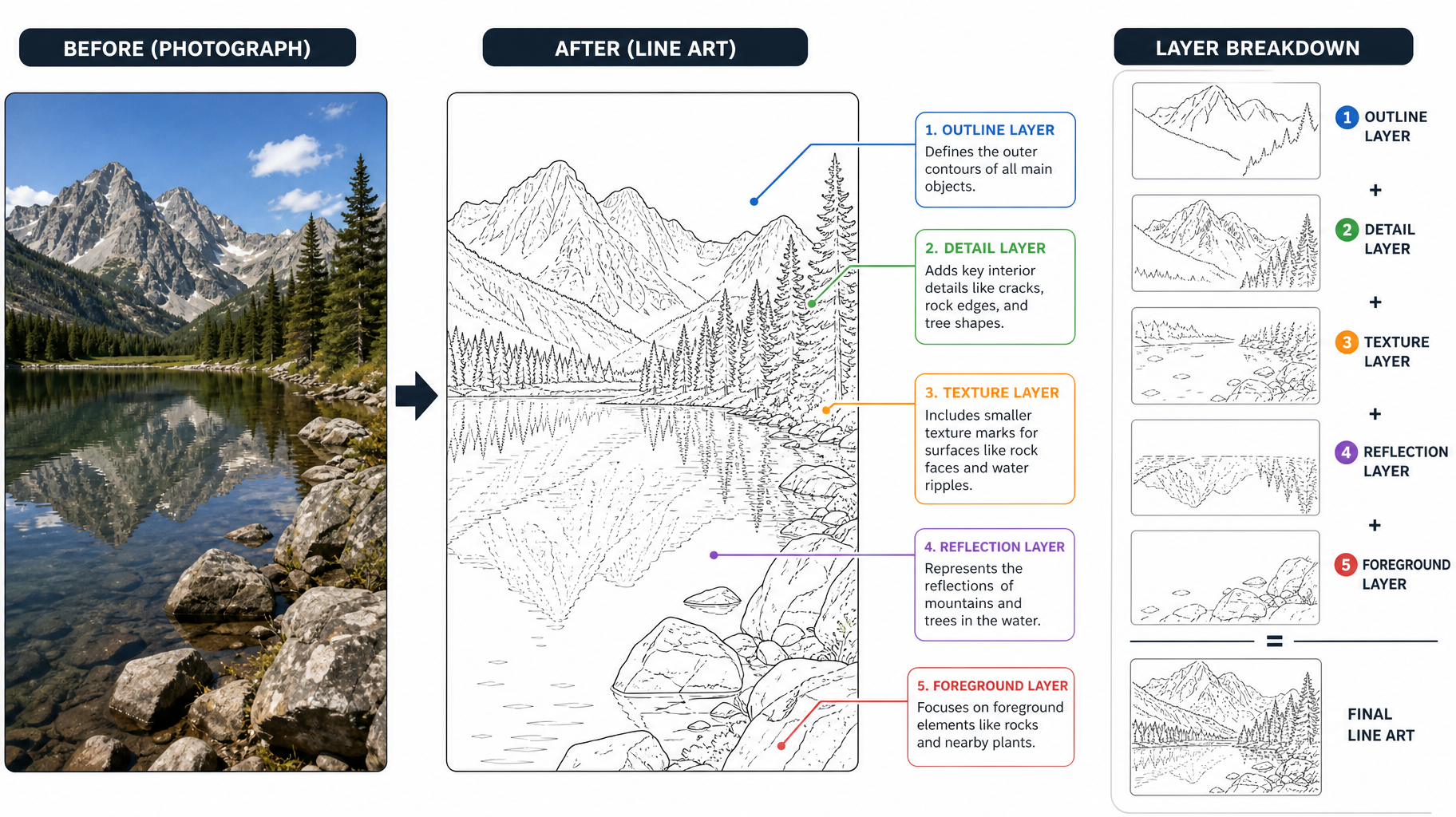 Illustrations are the largest share of the work and the place where an existing manual saves the most. What happens depends on what you have:
- Vector line art is reused directly, with callouts converted to layers so they can be toggled, translated, and turned into tap targets.
- Photographs and raster figures are converted to line art, which is a service we have offered for years, or re-illustrated from CAD. Line art is what allows callouts, numbering, and flow arrows to be added cleanly and read at any size. Technical illustration is what makes the manual teachable.
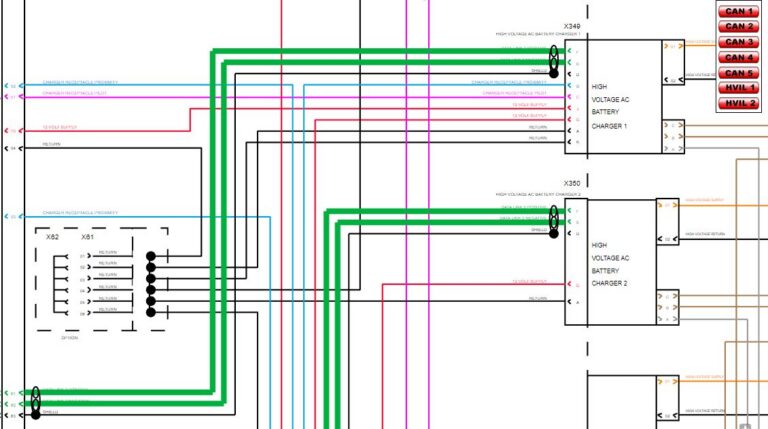
- Full-system wiring diagrams are broken into per-circuit diagrams that fit a screen, with each circuit linked to its test procedure and its fault codes; that is the approach behind interactive wiring diagrams.
- Exploded views become interactive parts views, the same assets that drive an illustrated parts catalog.
5. Add what a manual cannot hold
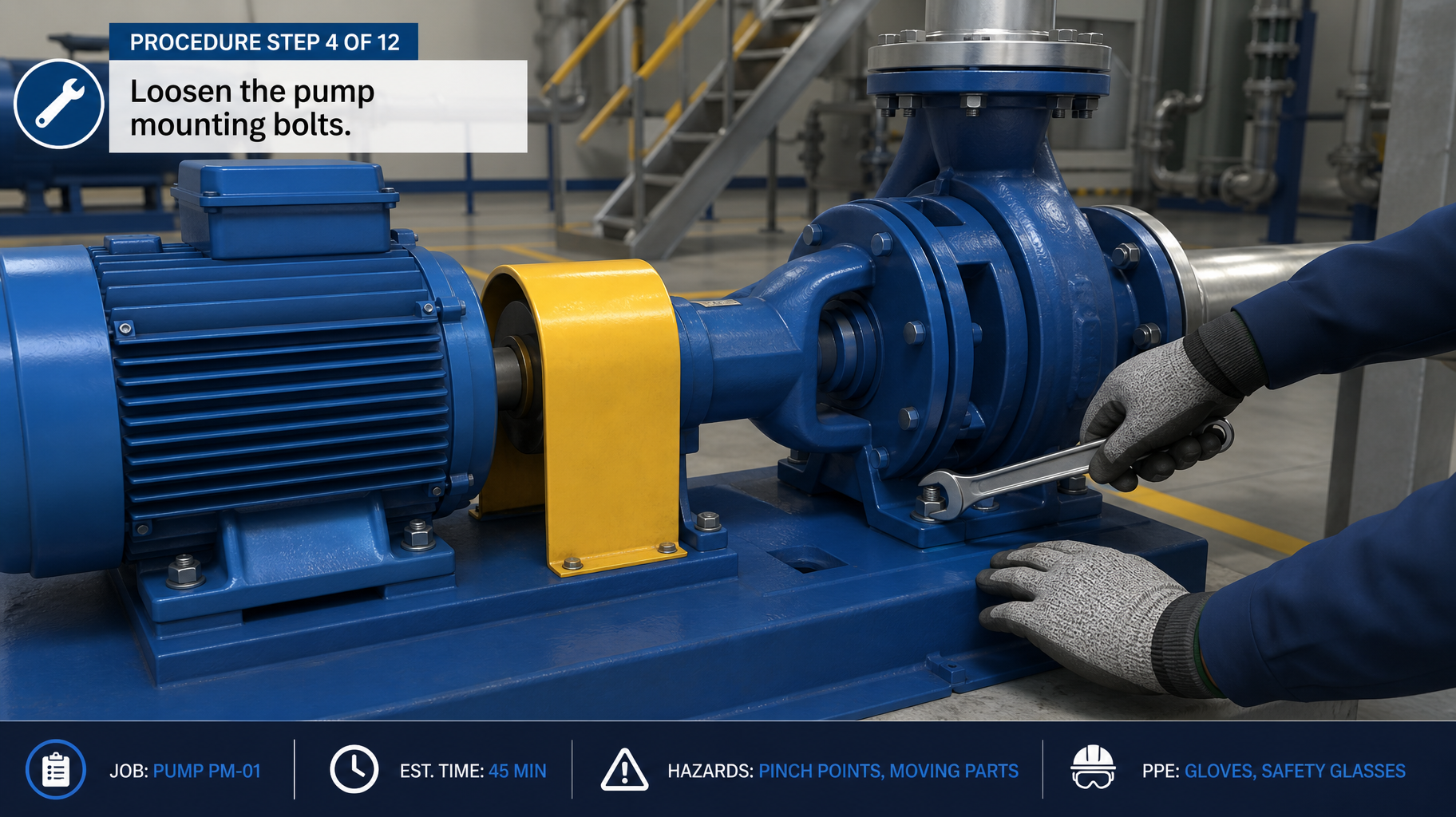
This is where training becomes interactive rather than just electronic.
- Animate the mechanism or procedure, built from the customer’s CAD through the same pipeline as a marketing animation, so the aftertreatment cycle or clutch engagement actually moves.
- Video of the real procedure, shot on the shop floor with the real tools, for the things that need hands in frame.
- 3D parts the learner can rotate and isolate, from the same prepared model.
- AR on the real unit for the guided-practice stage, where the program calls for it. Our AR vs. VR post covers when to use it.
- Physical training aids: for procedures where the feel of the work matters, a sectioned unit on a bench is still the best training device, and it can be built alongside the digital program.
6. Build assessment in
Knowledge checks after the concept, step verification during the guided practice, scenario-based troubleshooting that starts from a fault code, and a practical sign-off checklist for the instructor. The modules are packaged for the customer’s LMS (SCORM for most systems; xAPI where the program needs to track richer data from simulators, AR, or video) so completions and scores are recorded where HR and the training department already look.
7. Localize
Text, callouts, narration, and captions are built as separate layers from the start, so a language version is a translation pass, not a rebuild. One of our training programs runs in as many as 22 languages; that is only manageable because the structure was designed for it.
8. Keep the manual and the training in sync
The failure mode of every converted training program is that it goes stale before the manual does. The fix is structural: the training and the manual should draw from the same source content, so an engineering change flows to both. Where the manual lives in a structured or database-driven authoring system, the training modules reference the same data. Where it does not, the conversion is a good reason to move it there.
What is still possible if you are late
| Output | What it is | Where it lives |
|---|---|---|
| Learning modules | Task-based modules with concept, demo, guided practice, and assessment |
Customer LMS (SCORM or xAPI) |
| Procedure videos | Real-procedure video, captioned, in each language |
Any new cutaway |
| Animations | Simple prints; AR on an existing model; re-crating; base, guard, and signage updates; lighting refresh |
LMS, dealer portal, job aids |
| Interactive illustrations | Mechanism and procedure animations from CAD |
LMS, manual, dealer portal, sales |
| AR content | Repairs and spares; graphics; a booth loop from existing animation |
Training, IETM, parts catalog |
| Instructor materials | Lesson plans, practical sign-off checklists, answer keys | Training department |
| Job aids | Single-procedure quick references, QR-linked from the bench or the machine | Shop floor |
| Assessment data | Scores, completions, step verification | LMS reporting |
The same prepared assets also feed the manual, the parts catalog, the dealer portal, and marketing. A program scoped as “training” usually ends up upgrading the manual’s illustrations as a side effect.
What drives the time and cost
- Source condition. Native files with vector art at one end; scanned PDFs with photographs at the other.
- Illustration reuse. The share of figures that can be reused as-is versus converted or redrawn.
- The number of procedures selected in step 2.
- Media depth. Text and illustrations only, or animation, video, 3D, and AR.
- Languages.
- LMS integration, and whether we already know the customer’s LMS.
- Review speed. Subject-matter-expert sign-off at each module is the schedule’s biggest variable.
Why start with TECHCOM if we wrote your manual
For many of our clients, we already have the source. Our technical publications team has written and illustrated the owner’s, operation and maintenance, service, fault-code, and warranty manuals and wiring diagrams for one powertrain customer over a decade, and has produced tens of thousands of technical illustrations across engine, drivetrain, agricultural, marine, and defense products.
What we have built on the training side
- Over 3,000 online courses for Cummins, with over 500 translated into up to 22 languages
- Turbine engine courses for Rolls-Royce and transmission courses for Eaton, along with the training cutaways and working simulators that go on the bench beside them.
When the same shop holds the manual source, the illustration files, the CAD-prepared 3D model, and the training pipeline, a conversion starts from a full set of native files rather than a PDF, and it stays in sync afterward because there is only one source to update.
What to send us
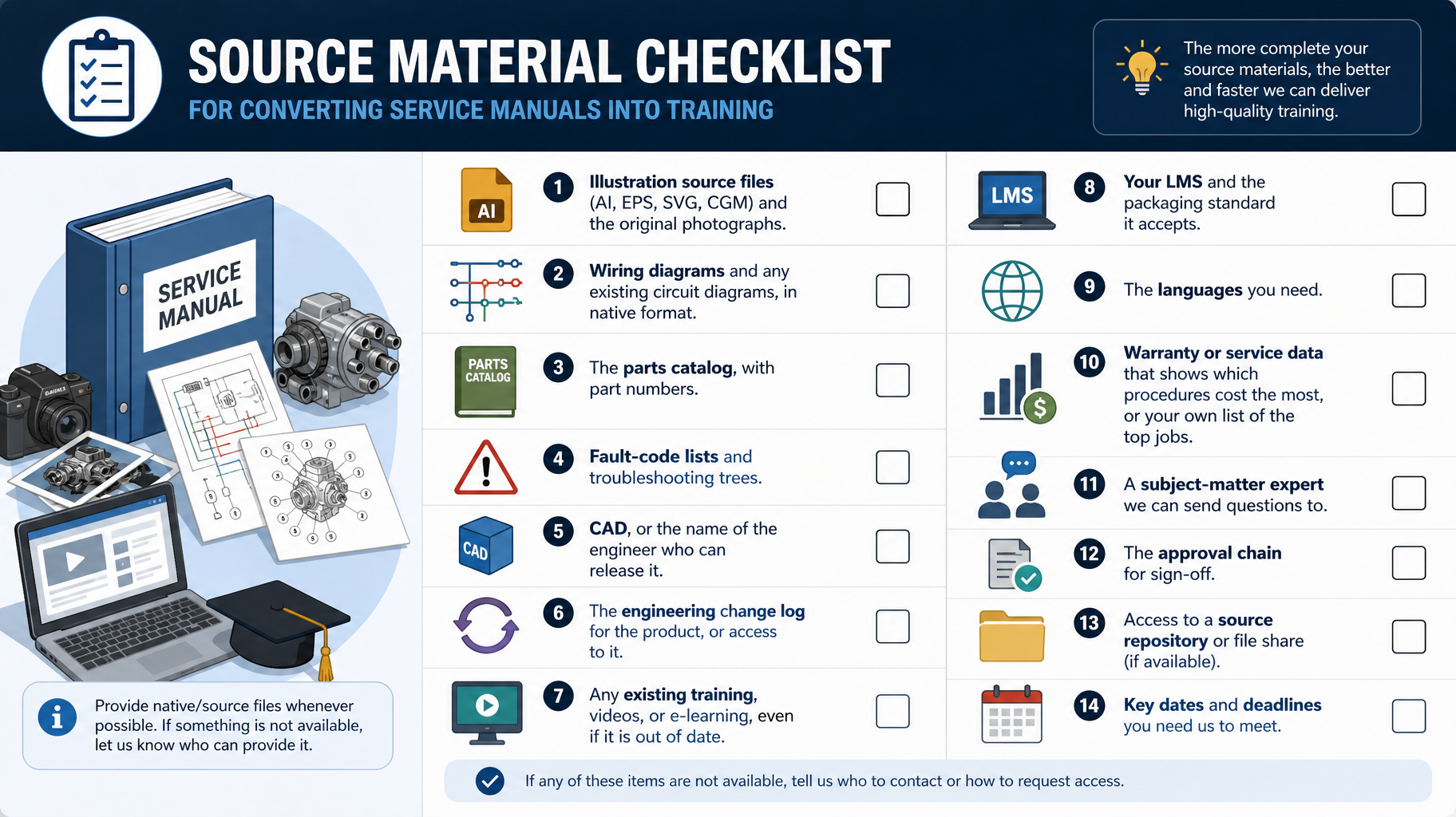
The scoping list.
Send what you have; gaps are normal, and the audit will find them.
The manuals, in native format if you have it (InDesign, FrameMaker, Word, XML, S1000D) and as PDF.
- Illustration source files (AI, EPS, SVG, CGM) and the original photographs.
- Wiring diagrams and any existing circuit diagrams, in native format.
- The parts catalog, with part numbers.
- Fault-code lists and troubleshooting trees.
- CAD, or the name of the engineer who can release it.
- The engineering change log for the product, or access to it.
- Any existing training, videos, or e-learning, even if it is out of date.
- Your LMS and the packaging standard it accepts.
- The languages you need.
- Warranty or service data that shows which procedures cost the most, or your own list of the top jobs.
- A subject-matter expert we can send questions to, and the approval chain for sign-off.
Send the list, or as much of it as you have, and we will come back with an audit, a proposed procedure list, and a scope.
FAQ
Can an existing PDF service manual be turned into interactive training?
Yes. The manual content is the starting point. The work is restructuring it by task, converting or upgrading the illustrations, adding animation, video, 3D, and assessment, and packaging it for an LMS. Native source files make it faster; a PDF-only manual is still workable, but it requires more illustration conversion.
Do we have to convert the whole manual?
No, and you should not. The most useful programs cover the procedures that account for most labor hours, warranty claims, comebacks, and new-hire sign-offs, typically a short list. Warranty and service data identify them.
What happens to our existing illustrations?
We reuse vector line art directly and add layered callouts so it can be tapped, zoomed, and translated. We convert photographs and raster figures to line art or re-illustrate them from CAD. We break full-system wiring diagrams into per-circuit views linked to procedures and fault codes.
Will the training work in our LMS?
Modules are packaged in SCORM for most LMS platforms, or xAPI where the program tracks richer data from simulators, AR, or video. Completions and scores report where your training department already looks.
How do we keep the training current when the product changes?
Build the training and the manual from the same source content so an engineering change flows to both. If the manual is in a structured or database-driven system, training modules reference the same data; if it is not, conversion is the moment to move it there.
Can the same content be used in other languages?
Yes. Text, callouts, narration, and captions are built as separate layers from the start, so each language version is a translation pass rather than a rebuild.
ABOUT TECHCOM
The company’s mission is simple: solve problems. We take our clients’ problems and make them our own. For more than fifteen years, in aerospace, defense, and industrial manufacturing, your documentation quality has been as critical as your machinery. Our technical writers, illustrators, and developers bridge the gap between engineering and the end user with interactive technical documentation and training. Above all, TECHCOM is a certified WBE and SBA WOSB company.
Be sure to follow us for updates on social media on Facebook, Twitter, and LinkedIn.
Keep Reading
Related stories.
 Tech Docs
Interactive Wiring Diagrams: Smart Solutions for Complex Electrical Systems
Connecting Diagrams to Your Broader Technical Ecosystem Modern service ecosystems demand more than standalone visuals. When you build documentation that relies on…
Read more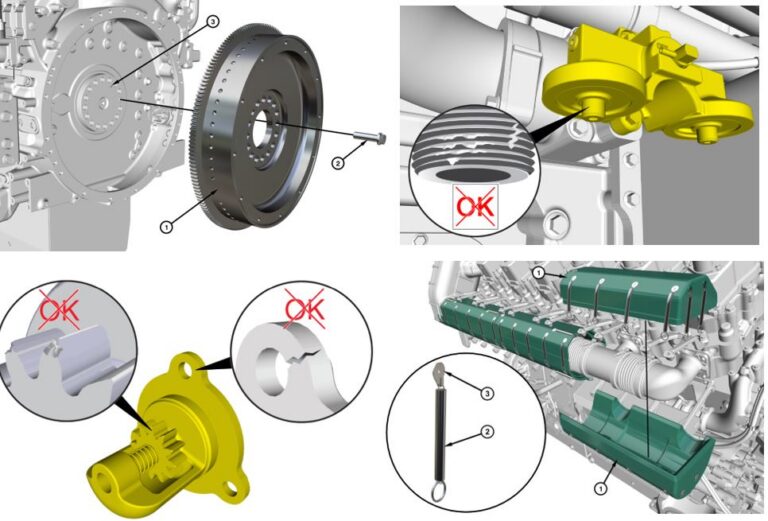 Tech Docs
Technical Illustration Services
Clarity That Communicates Complex Engineering Bad manuals cost companies money. When assembly instructions are fuzzy, or parts callouts make no sense, technicians…
Read more Tech Docs
Technical Publication
Complexity kills momentum. When your engineering teams build groundbreaking hardware or software systems, the last thing slowing down deployment should be confusing…
Read more